
E-commerce Development
Anyone can put products on a page. What determines whether the business works is whether stock is accurate, whether orders reach your accounts without being retyped, whether the checkout survives a mobile connection on a train, whether your category pages can rank, and whether the whole thing still functions at four times the current volume.
What is included
- A platform recommendation with the reasoning and the trade-offs stated rather than glossed over
- Category architecture planned for search as well as for browsing
- Design, with the checkout treated as the most important screen in the build
- A staging store visible throughout, with the work reviewed in stages
- Catalogue loaded, integrations connected and tested with real data
On this page
- What does an ecommerce website development company actually do?
- Which e-commerce platform should you build on?
- What is our honest position on platform choice?
- What does ecommerce web design cover, page by page?
- What does a WooCommerce web designer do?
- What do we build beyond the shopfront?
- Why is e-commerce SEO different from ordinary SEO?
- How do the store build, SEO and Google Shopping fit together?
- How fast should your website be, and what makes it slow?
- Does site speed actually affect rankings, or just conversions?
- What should be ready before an ecommerce development project starts?
- How do you replatform a store without losing rankings or revenue?
- What breaks when you replatform a shop, and how do you stop it?
- What will we not do?
- What should you ask an ecommerce development company before you sign?
- What drives the cost of an e-commerce build?
- What moves the price, and what should you budget separately?
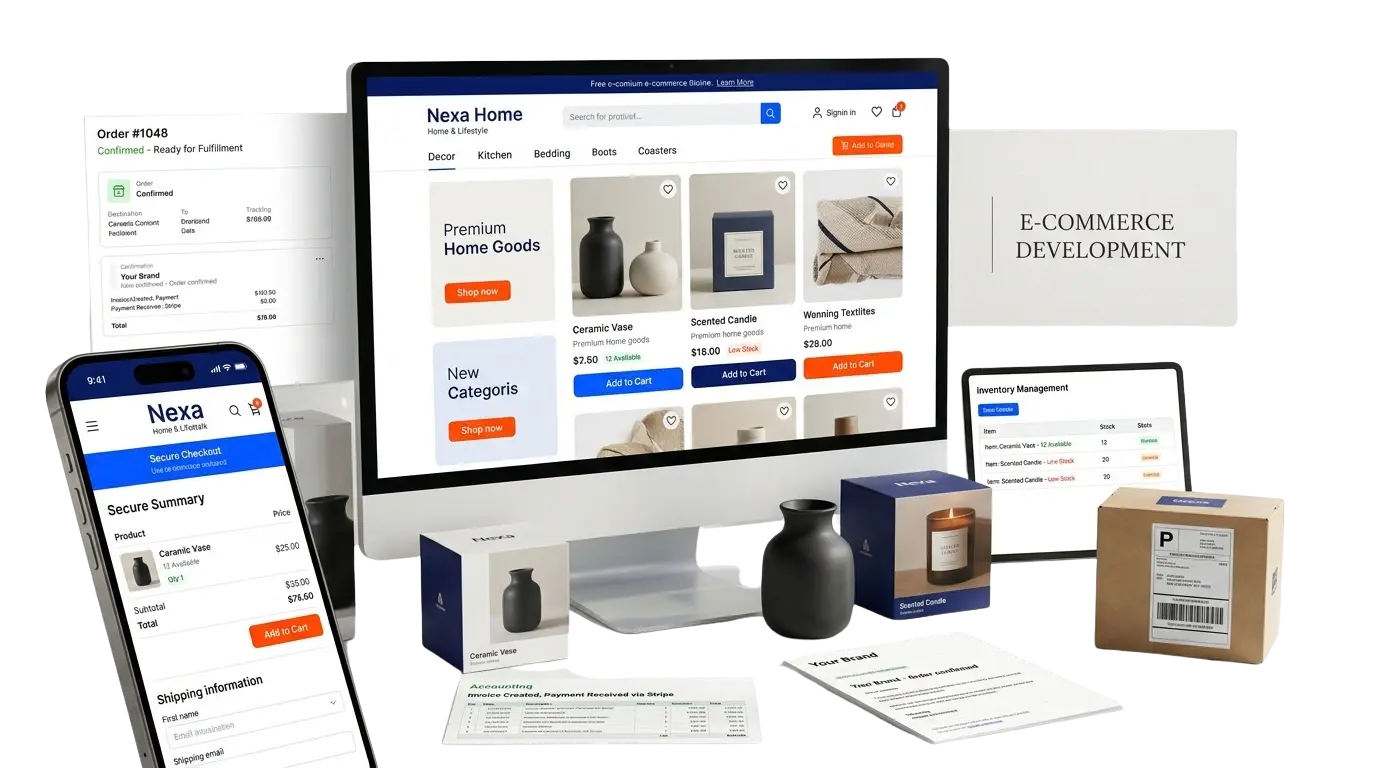
What does an ecommerce website development company actually do?
An ecommerce website development company builds and connects an online store: the platform, catalogue, checkout, payments, shipping and tax rules, and the links into stock, accounting and fulfilment. It also decides how categories and filters are structured for search. The shopfront is the visible part; the plumbing behind it is most of the work.
That is why ecommerce web development differs from building a brochure site. A brochure site has to be read; a store has to be right, in stock figures, order totals, VAT and delivery charges, every time, on a phone, under load. Ecommerce development therefore starts from the business, meaning margins, fulfilment, existing systems and who will run the store daily, before it starts on screens.
We build on Shopify, WooCommerce and custom commerce, and recommend after we understand the business. A store with a handful of products and no integrations rarely needs a development company at all: a hosted platform and a good theme will do, and we say so. Where a developer earns the fee is the larger catalogue, the awkward pricing rule or the back-office link, and our view of online retail as a sector starts from that honesty.
Which e-commerce platform should you build on?
Shopify for most small and medium retailers with standard needs, WooCommerce if you are already on WordPress or need unusual functionality, custom or headless only if you have genuinely outgrown both. There is no universally correct answer, and any agency that always recommends the same platform is telling you about themselves.
| Platform | What it is | Choose it if |
|---|---|---|
| Shopify | The fastest route to a solid store, and for most small and medium retailers the sensible default. Hosting, security, PCI compliance and payments are handled, and the app ecosystem is enormous. You pay a monthly fee plus transaction costs, and you accept the platform's limits on how far the checkout and back end can be customised. | You want to be trading quickly, your requirements are broadly standard, and you would rather not think about servers. |
| WooCommerce | WordPress-based, open source, and enormously flexible. You control the code and the data, hosting is yours to arrange, and there is no per-transaction platform fee. In exchange you own the maintenance, the security and the performance — which is why it usually comes with a WordPress build done properly underneath it. | You already run WordPress, you need unusual functionality, content marketing is central to your business, or you want to avoid platform fees at volume. |
| Custom commerce | A bespoke build, usually because the business model does not fit a product — complex B2B pricing, configurable products, trade accounts with individual terms, deep integration with a production system. | You have tried the platforms and are fighting all of them. Not otherwise. |
| Headless | The storefront decoupled from the commerce engine. Very fast, very flexible, and meaningfully more expensive to build and maintain. Genuinely justified less often than the industry suggests. | Performance or complexity demands it and you understand the ongoing cost you are taking on. |
What is our honest position on platform choice?
Most UK SME retailers are well served by Shopify or WooCommerce. If you ask us to quote for a headless custom build and your requirements do not need it, we will tell you — and we will still quote it if you want it, but you will know what you are choosing.
What does ecommerce web design cover, page by page?
Ecommerce web design covers every screen a customer meets, not only the homepage: category and search pages, product pages, the basket, checkout, account and order-status screens, and the policy pages that reassure. The checkout matters most, because it is where people who have already decided to buy are lost.
| Screen | What the design has to do | What commonly goes wrong |
|---|---|---|
| Category and search results | Help someone narrow a catalogue quickly, with filters that work on a phone and enough copy to explain the range. | A grid of products with no heading or text, filters hidden behind a tiny button, and sorting that resets when the page reloads. |
| Product page | Answer the buying questions in order: what it is, what it costs, whether it is in stock, when it arrives, what happens if it is wrong. | Manufacturer text copied from every competitor, delivery information buried in a tab, and images that cannot be zoomed on a phone. |
| Basket | Show the full cost, including delivery and tax, before the customer commits, and make editing quantities painless. | Surprise delivery charges, a basket that empties when the session expires, and no way to continue shopping without losing it. |
| Checkout | Ask for the minimum, offer the payment methods your customers use and make every error message say what to fix. | Forced account creation, long forms with no address lookup, and failed payments that give no explanation. |
| Account and order status | Let customers see what they ordered, where it is, and reorder or return in a few taps. | Order history that cannot be found, no tracking link, and returns handled by email only. |
| Policy and trust pages | State delivery, returns and contact details plainly, where someone doubtful will look for them. | Legal text pasted from a template and never read, with details that contradict the checkout. |
What does a WooCommerce web designer do?
A WooCommerce web designer designs and builds a store on WordPress using the WooCommerce plugin: the theme, product and category templates, checkout layout, plugin choices and the speed and security around them. WooCommerce suits businesses that already run WordPress or need unusual functionality, and it leaves maintenance with you.
- Template design. Product, category and checkout templates built to your catalogue rather than a stock theme with your logo added, on top of a proper WordPress build.
- Plugin selection. Every plugin adds code, update risk and sometimes a subscription. A good designer chooses few, and replaces small plugins with a few lines of theme code where that is cleaner.
- Checkout care. WooCommerce checkouts can be customised far more than hosted platforms allow, which is both the attraction and the risk; every change needs testing with real payment methods.
- Performance. Caching, image handling and database load decide whether a catalogue of any size stays fast, and hosting matters more than on a hosted platform.
- Search structure. Categories, attributes and URLs planned so that WooCommerce SEO work has something sound to build on.
- Updates and security. WooCommerce, WordPress and plugins must be patched regularly. That is a real running task, and it belongs on a care plan or with an in-house owner.
- An honest alternative. If you do not want to run a store's servers and updates, Shopify may be the better fit; Shopify, WooCommerce or a custom build compares the three.
What do we build beyond the shopfront?
Eight areas of plumbing: stock integration, order flow into your back office, payments, shipping and VAT, B2B and trade functionality, subscriptions, customer accounts, and the CRM connection. This is where online retail is won or lost, and it is the part a theme does not give you.
- Stock and inventory integration. Live stock from your warehouse system, so the site does not sell what you do not have. Multi-location stock where relevant.
- Order flow into your back office. Orders reaching your accounting package and your fulfilment process without anyone retyping them — Xero, Sage, QuickBooks, or a bespoke system we build to fit the process.
- Payments. Card, digital wallets, and buy-now-pay-later where it suits your market. Stripe, PayPal, Klarna and the rest. Configured properly, with the failure cases handled.
- Shipping and VAT. UK and international shipping rules, carrier integration, tracking, and VAT handled correctly — including the complications of selling outside the UK post-Brexit, which catch out a lot of stores.
- B2B and trade functionality. Trade accounts, customer-specific pricing, credit terms, minimum order quantities, quote requests, and bulk ordering. Frequently the highest-margin part of a retailer's business and the worst-served by standard themes.
- Subscriptions and recurring orders. Where the product suits it, subscription mechanics with proper handling of failed payments, pauses and changes.
- Customer accounts and portals. Order history, reordering, invoices, returns.
- CRM connection, so marketing knows who bought what and follow-up is possible — the CRM side of the work is built by the same team.
Why is e-commerce SEO different from ordinary SEO?
Because the failures are specific to retail: faceted navigation generating near-identical URLs, category pages with no content, missing product schema, discontinued products deleted rather than handled, and speed. Five of them account for most of the lost revenue we see on stores that already have decent products and decent traffic.
- Faceted navigation — the filters on your category pages — can generate hundreds of thousands of near-identical URLs, consuming crawl budget and creating duplication at scale. Handled correctly at build time, it is a non-issue. Handled badly, it is the single biggest technical problem large stores have, and it is the first thing a crawl budget and indexation review looks at.
- Category pages are your money pages, not your product pages. Most searches are for the category, not the SKU. That means category pages need real content, and most stores have none — which is where ongoing search work earns its place.
- Product schema — price, availability, reviews, brand — so results can show rich information. Straightforward, and frequently missing.
- Out-of-stock and discontinued products. Deleting them destroys the rankings and links they accumulated. There is a right way to handle each case.
- Speed matters more here than anywhere. Every additional second measurably costs conversions, and e-commerce sites are the ones most likely to be weighed down by apps, tracking scripts and unoptimised imagery.
How do the store build, SEO and Google Shopping fit together?
They share one asset: clean product data. The store build decides how categories, URLs and templates are structured, search work makes those pages rankable, and a Google Shopping feed reads the same titles, prices, availability and images. Fix the data once at build time and all three benefit; fix it three times and they drift apart.
That is the argument for involving search at the start of the build. Category structure, filter rules and redirect plans are cheaper to design than to retrofit, and a store launched without them often needs dedicated ecommerce SEO just to repair what the build left behind. On Shopify the same logic applies within the platform's limits, which is covered in the Shopify build and SEO guide.
Google Shopping can only show what the feed says. Missing identifiers, vague titles and out-of-date stock all become weak listings or disapprovals, so the feed is a build requirement as much as an advertising one. Managing Google Shopping starts from the product data the store already holds. For the commercial context, see how we approach ecommerce and retail businesses.
The point
Missing identifiers, vague titles and out-of-date stock all become weak listings or disapprovals, so the feed is a build requirement as much as an advertising one.
How fast should your website be, and what makes it slow?
The targets are the same as anywhere: the largest element painted within 2.5 seconds, interactions answered in about 200 milliseconds, almost no layout shift. Stores miss them through full-resolution product images, apps, plugins and tracking scripts, and most of that is decided when the store is built.
| Metric | What it measures | What usually breaks it |
|---|---|---|
| Largest Contentful Paint (LCP) | How long until the main image or heading on a product or category page is actually painted. Good is 2.5 seconds or less. | Product photography uploaded at full resolution and resized in the browser, a hero slider on the homepage, and a category page loading sixty thumbnails before anything else. |
| Interaction to Next Paint (INP) | How quickly the store responds to a filter, a variant swatch, an add-to-basket or a quantity change. Good is around 200 milliseconds. | Apps and plugins that each add their own JavaScript, a filter that re-queries the whole catalogue on every click, and third-party tags — chat, reviews, consent, and the pixels behind paid campaigns — sharing one main thread. |
| Cumulative Layout Shift (CLS) | How much the page moves after it appears, which on a store usually means moving under a thumb heading for the basket. Good is 0.1 or less. | Product images and review widgets with no space reserved, a promotional bar injected at the top after load, and webfonts that reflow prices and titles when they arrive. |
| Time to First Byte (TTFB) | How long the server takes to start answering, before any of the store's own code runs. | A cheap shared host under a large catalogue, uncached category and search pages, a plugin running a slow query on every request, and redirect chains left from an earlier migration. |
Does site speed actually affect rankings, or just conversions?
Both, though not to the same degree. In search, speed acts as a tie-breaker rather than a primary ranking factor — relevance and links decide first, and speed separates pages that are otherwise level. On a store the commercial case is the stronger one, because a slow step costs you the sale directly.
We are not going to quote you a figure for what a second is worth, because the honest position is that it depends on the store, the product and the device, and the numbers that circulate belong to other people's shops. What is true everywhere is that the cost lands on the pages nearest the money. A slow category page loses browsers. A slow checkout loses people who had already decided to buy, which is the most expensive loss in retail.
The ranking side of this is mostly not the score in a testing tool. It is whether your category, filter and product pages can be fetched at a sensible cost, which is a question about how much of a large catalogue gets crawled. The conversion side is measured rather than assumed: instrument the funnel, find the step where people leave, and change one thing at a time, which is what measuring the checkout step by step means in practice.
What should be ready before an ecommerce development project starts?
Before an ecommerce build starts you need a product data file, the images, the shipping and returns rules, VAT and payment accounts, access to the systems the store will connect to, and one person with authority to decide. Missing product data is the commonest cause of delay, ahead of design or code.
- Product data. Names, descriptions, variants, prices, weights, identifiers and categories in one clean spreadsheet or export. Gaps found now are cheap; found at launch they are not.
- Photography. Consistent images for every product, at a usable size, with a clear owner for who takes the missing ones.
- Shipping and returns rules. Carriers, zones, free-delivery thresholds, collection options and your returns policy written down.
- Tax and payment accounts. VAT registration details, and merchant accounts or payment provider accounts opened in your name, because they can take time to approve.
- System access. Credentials or API documentation for stock, accounting, fulfilment and CRM systems, so integrations are checked before they are quoted.
- Policies and legal pages. Terms, privacy, cookies and delivery information, reviewed by whoever signs these off for you.
- A decision-maker. One named person who can approve designs and settle disagreements, because stores stall when approvals pass round a committee.
- Feed readiness. The product data you prepare also feeds Google Shopping, so identifiers and titles are worth getting right now.
How do you replatform a store without losing rankings or revenue?
The URL map comes first, before anything moves, followed by data integrity — products, variants, customers, orders and reviews reconciled against the source — and then sequencing: staging tested with real data, DNS cutover planned, a rollback available. Replatforming is the highest-risk project in e-commerce and it goes wrong routinely.
- The URL map comes first. Every product, category, page and blog post mapped from old to new before anything moves, with 301 redirects for all of them. Platforms use different URL structures by default, so a migration without a redirect map loses everything the old store had earned, and planning a migration around search is the discipline that prevents it.
- Data integrity. Products, variants, images, customers, order history, reviews. Exported, cleaned, imported and reconciled against the source so you can verify it before launch.
- Sequencing. DNS cutover planned, staging tested with real data, a rollback available, and monitoring afterwards. Expect a short dip while the new store is re-crawled. Expect it to recover.
What breaks when you replatform a shop, and how do you stop it?
Six things break, and all six are preventable. URLs, product data, customer accounts and order history, reviews, payment and tax configuration, and search rankings. Each one fails quietly, which is why replatforming damage is normally discovered later in the revenue figures rather than on launch day. Which platform you are moving to changes the detail, not the list.
| What breaks | What it costs you | How it is avoided |
|---|---|---|
| URLs and redirects | Every product, category and article moves to a new address. Old links, bookmarks and search results land on a 404, and the authority those pages had earned goes with them. | A full URL map from old to new, written before anything moves, with a 301 for every URL including the ones that only get a trickle of traffic. Tested on staging, live on day one. |
| Product data and variants | Sizes, colours, specifications, prices and images arrive mangled or incomplete. Listings look wrong, filters stop working, and the catalogue gets corrected by hand long after launch. | Export, clean and import as a rehearsed process rather than a one-off, then reconcile against the source — counts, prices, variant combinations, image coverage — so the catalogue can be verified before launch instead of trusted. |
| Customer accounts and order history | Customers cannot log in, cannot see what they bought and cannot reorder. Returns and support get harder for everybody, and the records marketing relies on stop matching. | Migrate accounts and orders as data rather than as an afterthought, with a password reset path customers are told about in advance, and keep the customer record in your CRM reconciled against what the new store holds. |
| Reviews | Years of accumulated reviews are the hardest asset to rebuild and the easiest to leave behind, along with the review stars in search results that came with them. | Check whether the reviews can be exported before choosing where they live. Some platforms and apps lock them in, which is a reason to know the answer before the platform decision rather than after it. |
| Payment and tax configuration | Cards decline, a payment method quietly stops working, or VAT applies at the wrong rate or in the wrong place. The failures look like poor sales rather than a broken configuration. | Rebuild the rules rather than assume they carry across, then test every payment method, every shipping rule and every tax scenario — including sales outside the UK — with real transactions on staging. |
| Search rankings | Traffic falls and does not come back, because the drop was never diagnosed as a migration problem. Some dip is normal while the new store is re-crawled; a permanent fall is not. | Record what ranked and what it earned before the move, keep the content that was performing rather than trimming it for a cleaner design, and watch indexation afterwards as part of continuing search work on the store. |
What will we not do?
Migrate a store without a redirect map. It is the difference between a short period of turbulence and a long loss of revenue, which is why the URL map is written before anything moves, tested on staging and live on launch day.
What should you ask an ecommerce development company before you sign?
Ask which platform they would choose and why, who owns the store and the code at the end, how product data is migrated and checked, what the quote excludes, and who looks after the store afterwards. A specific answer to each is worth more than any portfolio slide.
- Which platform would you choose for us, and why not the others? An agency that always names one platform is describing itself. Look for reasoning tied to your catalogue and team.
- Who owns the store, the code and the accounts at the end? The platform account, domain, payment accounts and repository should be in your name.
- How do you migrate and check product data? Look for an export, a clean, an import and a reconciliation against the source, not a one-off upload.
- How will you check my integrations before quoting? A good answer reads the API documentation and tests it. A bad answer is “we have done Sage before”.
- Who plans the category structure and redirects? If search is added after launch, ask who pays to repair what the build left out.
- What is not in the quote? Apps, payment fees, platform subscription, photography, copy and hosting. Insist on a list.
- Who looks after the store afterwards? Stores need updates, integration monitoring and payment checks. Ask what is included and what is billed separately.
- What have they actually built, and what is the track record? Our own delivery record is international rather than UK-based, and the people behind Prabhu Solutions can walk you through it. How to choose a web development company covers the wider checklist, and comparing freelancer, agency and in-house routes helps with the supplier type. If you want to test us on these questions, tell us about your store.
What drives the cost of an e-commerce build?
Catalogue size and the number of systems the store has to talk to decide where you land. The bands below are how to place yourself. A migration is scoped on catalogue size and data quality, not on the store it replaces, and platform fees, payment processing and apps sit outside the build.
| Type | What it is |
|---|---|
| Standard store | Shopify or WooCommerce, custom design, up to a few hundred products, payments, shipping and VAT, basic integration, analytics and e-commerce tracking. |
| Integrated store | Larger catalogue, live stock and order integration with your back office, B2B or trade functionality, subscriptions, complex shipping. |
| Custom commerce | Bespoke or headless build where the business model genuinely does not fit a platform. Scoped individually. |
| Migration | Replatforming with full URL mapping, data migration and reconciliation. Depends heavily on catalogue size and data quality. |
| Ongoing support | E-commerce sites need more attention than brochure sites, so the Business tier or above rather than the entry plan. See the care plan tiers. |
What moves the price, and what should you budget separately?
Five things move the build price: catalogue size and data quality, the number of integrations, B2B complexity, how many shipping and tax rules apply, and whether product photography and descriptions already exist. Four running costs sit outside it entirely, and we set those out in the proposal rather than letting you discover them later.
- Catalogue size, and how clean the product data is.
- The number of integrations, and whether your systems have usable APIs.
- B2B complexity — trade accounts, customer-specific pricing, credit terms.
- How many shipping and tax rules apply.
- Whether product photography and descriptions already exist, and whether the storefront needs a full design pass or adapts a proven pattern.
- Budget separately for: platform subscription, payment processing fees, apps and extensions, and hosting if you are self-hosted. The ecommerce website cost guide explains each of these drivers.
- Budget separately for conversion work after launch. Testing and optimising the checkout is where the return is, and it cannot start before you have real traffic.
What E-commerce Development covers
Not a menu to pick from. Most projects use some of this and ignore the rest, and the scope conversation is mostly about working out which half you actually need.
Stock and inventory integration
Live stock from your warehouse system, so the site does not sell what you do not have. Multi-location stock where relevant.
Order flow into your back office
Orders reaching your accounting package and your fulfilment process without anyone retyping them. Xero, Sage, QuickBooks, or a bespoke system.
Payments
Card, digital wallets, and buy-now-pay-later where it suits your market. Stripe, PayPal, Klarna and the rest, configured properly, with the failure cases handled.
Shipping and VAT
UK and international shipping rules, carrier integration, tracking, and VAT handled correctly — including the complications of selling outside the UK post-Brexit.
B2B and trade functionality
Trade accounts, customer-specific pricing, credit terms, minimum order quantities, quote requests and bulk ordering. Frequently the highest-margin part of a retailer's business and the worst-served by standard themes.
Subscriptions and recurring orders
Where the product suits it, subscription mechanics with proper handling of failed payments, pauses and changes.
Customer accounts and portals
Order history, reordering, invoices, returns.
CRM connection
So marketing knows who bought what, and follow-up is possible.
Why this is worth doing properly
The platform recommendation is about your business, not ours
Any agency that always recommends the same platform is telling you about themselves. Most UK SME retailers are well served by Shopify or WooCommerce, and if your requirements do not need a headless custom build we will say so.
Faceted navigation handled at build time
Filters on category pages can generate hundreds of thousands of near-identical URLs. Handled correctly at build time it is a non-issue; handled badly it is the single biggest technical problem large stores have.
Category pages built as money pages
Most searches are for the category, not the SKU. That means category pages need real content, and most stores have none.
Orders that do not get retyped
Stock, accounting and fulfilment connected so the store is part of the business rather than a separate system somebody reconciles by hand.
Migrations with the URL map first
Every product, category, page and blog post mapped from old to new before anything moves, with 301 redirects for all of them, data reconciled against the source, and a rollback available.
Running costs stated up front
Platform subscription, payment processing fees, apps and extensions, hosting if self-hosted. Set out in the proposal rather than discovered later.
What you are handed, and who this suits
Deliverables
- A platform recommendation with reasoning and trade-offs
- A category and URL architecture planned for search
- A designed and built store, with the checkout treated as the priority screen
- Payments, shipping rules and VAT configured for your markets
- Integrations into stock, accounting, fulfilment and CRM, tested with real data
- Validated product schema
- A full URL map and 301 redirects where a migration is involved
- Data export, cleaning, import and reconciliation against the source
- Analytics and e-commerce tracking, plus post-launch monitoring
Everything on that list is yours on final payment, in your own company's accounts — the handover is written into the contract, not offered as a favour at the end.
Usually a fit for
- Retailers trading on a theme that has stopped fitting the business
- Stores whose stock, orders or invoices are being retyped between systems
- Businesses replatforming from one e-commerce platform to another
- Retailers whose category pages have no content and cannot rank
- B2B and trade sellers needing customer-specific pricing, credit terms and bulk ordering
- Large catalogues where filters have generated an unmanageable number of URLs
Built with
- Shopify
- WooCommerce and WordPress
- Custom commerce builds
- Headless storefronts
- Stripe, PayPal and Klarna
- Xero, Sage and QuickBooks
- Product and Offer structured data
- REST and GraphQL APIs for stock and order integration
Chosen per project, not per fashion. If your team already runs something else and can maintain it, that usually wins.
Ask what this would involve for youFour gates, and you sign off at each one
Every stage ends with something you can read and approve — discovery, platform recommendation, structure and design, build. Nothing moves to the next stage until you say so.
- 01
Discovery
Your catalogue, your margins, your fulfilment, your existing systems, your customers. Where the business actually makes money — which for a lot of retailers is not where they think.
- 02
Platform recommendation
With reasoning, and with the trade-offs stated rather than glossed over.
- 03
Structure and design
Category architecture planned for search as well as browsing. Then design, with the checkout treated as the most important screen in the build.
- 04
Build
Built and reviewed in stages, with the staging store visible throughout.
Frequently Asked Questions
Which platform is best for my e-commerce business?
It depends on your catalogue, your team and your requirements. Shopify if you want to trade quickly with standard needs and no infrastructure to manage. WooCommerce if you are already on WordPress, need unusual functionality, or want to avoid transaction fees at volume. Custom only if you have genuinely outgrown both. We recommend after understanding your business, not before.
How much does an e-commerce website cost in the UK?
Catalogue size and integration depth decide it: how many products and how clean the product data is; whether stock, accounting and fulfilment have to talk to the store and whether those systems have usable APIs; B2B complexity; and how many shipping and tax rules apply. Platform fees and payment processing sit outside the build. We scope it before quoting.
Can you migrate our existing store without losing search rankings?
Yes, with a full URL map and 301 redirects planned before anything moves, and the product, customer and review data reconciled against the source. Expect a short dip while the new store is re-crawled, and expect recovery. What causes permanent damage is migrating without redirects, which is common and entirely avoidable.
Can you connect the store to our stock system or accounting software?
Usually. Xero, Sage and QuickBooks have workable APIs, as do most modern stock systems. Older or industry-specific systems vary — some have an API, some have a database we can read, some need a scheduled file exchange. We check during discovery rather than assuming.
How do you handle VAT, payments and GDPR?
VAT configured for your rates and your markets, including the additional complexity of selling outside the UK. Payments through established providers so card data never touches your server. GDPR handled with proper consent management, a lawful basis for marketing, and customer data deletion that actually works rather than hiding a record.
How long does an e-commerce build take?
Three things decide it: how big and how clean the catalogue is, how many systems the store has to integrate with, and how much B2B or shipping complexity applies. Product data is the usual bottleneck — descriptions, photography, variants, specifications. If that already exists and is clean, everything after it moves faster.
Do you offer ongoing support once the store is live?
Yes. E-commerce sites need more attention than brochure sites — payment gateways change, apps update, stock integrations break quietly — so we would generally recommend the Business tier or above on our website care plans rather than the entry plan.
Will you do the product photography and descriptions?
Photography we would arrange through a specialist rather than pretend to do in-house. Descriptions we can write, priced separately, and it is usually worth it — product copy is where a lot of e-commerce SEO actually lives and most stores use the manufacturer's text, which every competitor also uses.
What is the difference between ecommerce development and ecommerce web design?
Ecommerce web design decides how the store looks and behaves: category pages, product pages, basket and checkout. Ecommerce development makes it work: platform, catalogue, payments, tax, stock and order integrations, and speed. On most projects they are one piece of work, and splitting them only creates a handoff gap to manage.
Can you redesign our existing WooCommerce store?
Yes. We start by reviewing the theme, plugins, hosting and data, then decide whether to restyle, rebuild the theme or move platform, since a WooCommerce store often just needs fewer plugins and a better template. If it stays on WordPress, the work follows our WordPress development approach, with redirects and ranking pages protected.
Let's Build Something That Matters.
Tell us what you're trying to achieve and we'll help you find the right solution.